
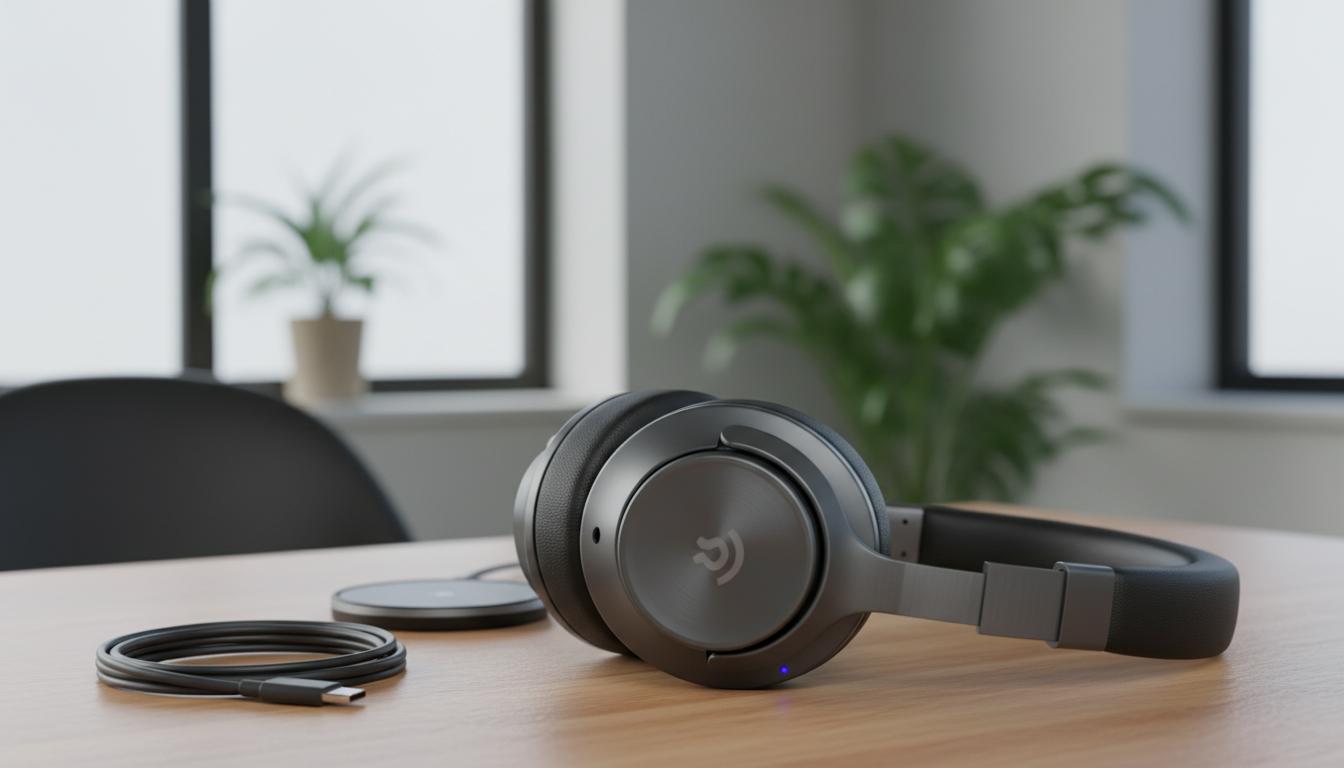
Whether you’re dodging wind on the Wellington waterfront, commuting into Auckland, or taking calls from a quiet corner at home, wireless headphones can make the day easier. This guide explains what wireless headphones are, how they work, the main types you’ll see in NZ stores, the pros and cons, and how to pick the right model for your phone and lifestyle—plus quick answers to common questions.
What is
Wireless headphones are audio headphones that connect to your device without a cable—most commonly via Bluetooth. You’ll see them called Bluetooth headphones, noise-cancelling headphones, or true wireless earbuds (the small in-ear buds with no cable between them). They handle music, podcasts, calls, and often noise reduction, all from a compact, battery-powered design you can use with phones, laptops, TVs, and tablets.
How it works
Bluetooth basics
Bluetooth creates a short-range wireless link between your headphones and a device such as a phone or laptop. Modern sets use Bluetooth 5.0 to 5.3, which generally improves connection stability, range, and battery efficiency. Indoors, expect reliable performance within about 10 metres; walls, bodies, and metal surfaces can cut that down.
Audio codecs (sound quality and delay)
Audio is compressed before it’s sent to your headphones. The compression method is called a codec, and it affects quality and latency (delay):
- SBC: The baseline codec that works on every device. Fine, but not the most efficient.
- AAC: Favoured by Apple devices; also common on Android. Often a good match for iPhone users.
- aptX/aptX HD/aptX Adaptive: Available on many Android phones with Qualcomm chips. Aims for better quality and lower delay than SBC.
- LDAC: Found on many Android devices; offers high bitrates and potentially better sound, but uses more bandwidth and can be less stable in busy radio environments.
Latency varies by codec and implementation. For video and music, most modern Bluetooth headphones sync well. Fast-paced gaming can reveal a slight delay unless you use a low-latency mode or a dedicated 2.4 GHz dongle.
Active Noise Cancelling (ANC)
Noise-cancelling headphones use microphones to sample incoming noise and generate an inverted signal to reduce it. ANC works best on steady, low-frequency sounds (engines, aircon, train rumble). Wind noise, sudden clatter, and voices are harder to cancel, though newer models combine ANC with good passive sealing for better results.
Battery and charging
Over-ear wireless headphones often last 20–50 hours per charge. True wireless earbuds usually run 5–10 hours per charge, with an extra 20–30 hours stored in the case. Many support fast charging (a quick top-up gives an hour or more of playtime) and some cases support USB-C or wireless charging. Battery life drops as volume and ANC go up.
Microphones and calls
Beamforming mics target your voice and suppress background noise. Performance varies a lot: ANC can help reduce ambient sound, but wind can still overwhelm tiny mics. If calls matter, look for models with multiple mics, good wind reduction, and strong app controls.
Controls and apps
Touch or physical buttons handle play/pause, volume, ANC modes, and calls. Companion apps often add equaliser (EQ), firmware updates, and find-my-headphones features. Some allow custom ANC levels or adaptive modes that change with your surroundings.
Types / examples
Over-ear headphones
Large earcups that surround your ears. Comfortable for long sessions, strong battery life, and the best ANC tends to live here.
On-ear headphones
Smaller pads sit on your ears. Lighter and cooler than over-ear sets, but usually less isolation and comfort over long stretches.
True wireless earbuds
Tiny in-ears with a charging case. Great for travel, the gym, and everyday carry. Fit is crucial; a proper seal drives both bass and noise isolation.
Bone-conduction headphones
They sit on your cheekbones and vibrate sound through bone. You keep your ears open—handy for running and cycling when situational awareness matters. Sound quality and bass are limited compared with in-ear or over-ear designs.
Gaming wireless headsets
Some use Bluetooth, but many ship with a 2.4 GHz USB dongle for lower latency on PC or console. Microphone arms improve voice clarity for chat.
Popular examples you’ll see in NZ
- Over-ear ANC: Sony WH-1000XM series, Bose QuietComfort series, Apple AirPods Max, Sennheiser Momentum.
- True wireless earbuds: Apple AirPods Pro, Sony WF-1000XM series, Samsung Galaxy Buds Pro series, Jabra Elite Active series, Beats Fit Pro.
- Sports/open designs: Shokz bone-conduction, Jabra Elite Active, JBL endurance lines.
Comparison: picking by style
| Type | Noise isolation | Battery per charge | Comfort | Best for | Typical NZ price bands | Watch-outs |
|---|---|---|---|---|---|---|
| Over-ear | High (with ANC) | 20–50 hours | Very good for long use | Work, flights, focus time | Mid to premium | Bulky for the gym; warmer in summer |
| On-ear | Moderate | 15–30 hours | Light but can press on ears | Casual listening, compact carry | Budget to mid | Less passive isolation |
| True wireless earbuds | Moderate to high (with seal/ANC) | 5–10 hours (+ case) | Great for movement if they fit well | Commuting, gym, daily carry | Budget to premium | Fit varies; easy to misplace |
| Bone-conduction | Low (ears stay open) | 6–10 hours | Very light | Outdoor exercise, awareness | Mid | Limited bass and isolation |
Pros and cons
Pros
- No cables to snag on bags or gym gear.
- ANC and good sealing reduce background noise on buses, trains, and planes.
- Multipoint Bluetooth lets many models connect to two devices (e.g., laptop and phone) at once.
- Compact charging cases keep earbuds powered on the go.
- Apps enable EQ, custom controls, and firmware updates.
Cons
- Batteries age; maximum runtime declines over years.
- Codec and radio limitations can cause latency for gaming.
- Fit is personal—poor sealing hurts both bass and noise reduction.
- Higher-end ANC models can be pricey.
- Small mics struggle in strong wind; call quality varies widely.
How to use or choose
Step-by-step: how to pair wireless headphones
- Charge the headphones or earbuds and the case until full.
- Open Bluetooth on your phone, tablet, or laptop and make sure it’s turned on.
- Put the headphones in pairing mode (often by holding the power or Bluetooth button; many earbuds enter pairing when the case lid is opened for the first time).
- Select the headphones from the device’s Bluetooth list and confirm pairing.
- Enable multipoint in the app if your model supports it, then pair to a second device (e.g., your work laptop).
- Update firmware in the companion app to get bug fixes and new features.
How to choose the right wireless headphones
- Fit and comfort: Over-ear pads should seal gently without hot spots. Earbuds need the correct eartip size; try multiple tips for a snug seal that doesn’t ache.
- Use case: Commuters and travellers benefit from strong ANC. Runners might prefer stable, sweat-resistant earbuds or bone-conduction for awareness. Office users may want stellar microphones and multipoint.
- Battery life: Check real-world numbers with ANC on. Earbuds should comfortably cover your longest day with the case.
- Durability and IP rating: For rain and sweat, aim for at least IPX4 on earbuds. Over-ear sets rarely have high water resistance—avoid heavy rain.
- Codecs and your phone:
- iPhone/iPad: Prioritise AAC. Apple devices do not support aptX or LDAC.
- Android: Look for aptX Adaptive or LDAC if your phone supports them; otherwise AAC or SBC is fine.
- Call quality: Look for multiple mics, wind-reduction features, and positive call-test reviews.
- Controls and app: Physical buttons are more reliable with sweat and rain; touch controls are sleek but can misfire with water.
- Warranty and support in NZ: Purchases are covered by the Consumer Guarantees Act (CGA). You can expect products to be of acceptable quality; if they aren’t, the retailer must help with repair, replacement, or refund depending on the issue.
- Where to buy locally: Major NZ retailers include PB Tech, Noel Leeming, JB Hi-Fi, Harvey Norman, and Mighty Ape. Trying fit in-store helps.
- Price bands: Budget (under NZ$100), mid-range (NZ$100–300), premium (NZ$300+). Features like class-leading ANC, premium materials, and spatial audio populate the upper tiers.
Codec compatibility at a glance
| Device family | Common codecs supported | Notes |
|---|---|---|
| Apple iPhone/iPad | SBC, AAC | No native aptX or LDAC support |
| Android (many models) | SBC, AAC, aptX variants, LDAC | aptX depends on chipset; LDAC on software support |
| Windows laptops | SBC, AAC (varies), some aptX | Codec support depends on drivers and hardware |
| Mac computers | SBC, AAC | Some Macs offer optional aptX with workarounds, but AAC is standard |
FAQ
Are wireless headphones good for calls in windy NZ weather?
They can be, but wind is tough for tiny microphones. Over-ear ANC models often handle wind a bit better than earbuds. Look for wind-reduction features and try cupping a hand to shield the mic outdoors when needed.
Can I use wireless headphones on an Air New Zealand flight?
Airlines generally allow Bluetooth headphones in flight mode when the crew says it’s okay. Keep flight mode on, and be ready to follow any instructions about take-off and landing. Wired options via the airline jack may still be useful for in-flight entertainment.
What IP rating should I look for if I run in the rain?
For earbuds, IPX4 handles sweat and light rain. IPX5/IPX6 adds better splash resistance. Over-ear models rarely offer high water resistance; avoid heavy rain with them.
How long do batteries last before they degrade?
Lithium batteries typically lose capacity over a few years. Expect noticeable decline after 2–3 years of regular use. Storing in moderate temperatures and avoiding constant 100% or 0% extremes helps prolong life.
Do iPhones support aptX or LDAC?
No. iPhones use SBC and AAC. If you use Apple devices, choose wireless headphones that perform well with AAC.
Why is there audio delay when gaming, and how do I reduce it?
Bluetooth adds latency. Use a low-latency mode if your headphones support one, switch to a codec designed for lower delay (e.g., aptX Adaptive on supported Android devices), or use a 2.4 GHz USB dongle headset for gaming on PC/console.
How do I get the best noise cancelling on a commute?
Combine ANC with a proper seal. For earbuds, try all included eartips to get a snug fit. For over-ear models, adjust the headband so pads fully surround your ears. Keep firmware updated—ANC tuning often improves over time.
Can wireless headphones connect to a TV?
Yes. If your TV has Bluetooth audio, pair directly. Otherwise, use a Bluetooth transmitter connected to the TV’s audio out. For lip-sync, choose a transmitter and headphones with a low-latency codec, or consider a TV-focused 2.4 GHz set.
How do I clean and maintain them?
Wipe earcups and tips with a slightly damp cloth, then dry. For earbuds, remove tips and clean earwax with a soft brush. Don’t use solvents. Keep the charging contacts dry, and store in the case or a pouch when not in use.
What’s the difference between noise cancelling and transparency?
Noise cancelling reduces outside sound to help you focus. Transparency (or ambient mode) pipes outside sound in so you can hear voices and traffic—useful when crossing streets or chatting without removing earbuds.
Final tip
Match the headphones to your phone’s codec, your daily routine, and the places you’ll actually use them. Try them on if you can, especially earbuds. In New Zealand you’re covered by the CGA, so buy with confidence from a local retailer—and enjoy the freedom that good wireless headphones bring to your day.